UX design for an internal bug reporting tool serving 2,000+ employees, featuring duplicate search, step-wise reporting flow, and accessibility-first design for screen reader users.
Redesign a company's internal bug reporting tool to reduce misrouted issues, improve issue hygiene across 100+ GitHub repositories, and create an accessible, efficient experience for customer support and developers filing hundreds of bugs monthly.
Stakeholder Analysis:
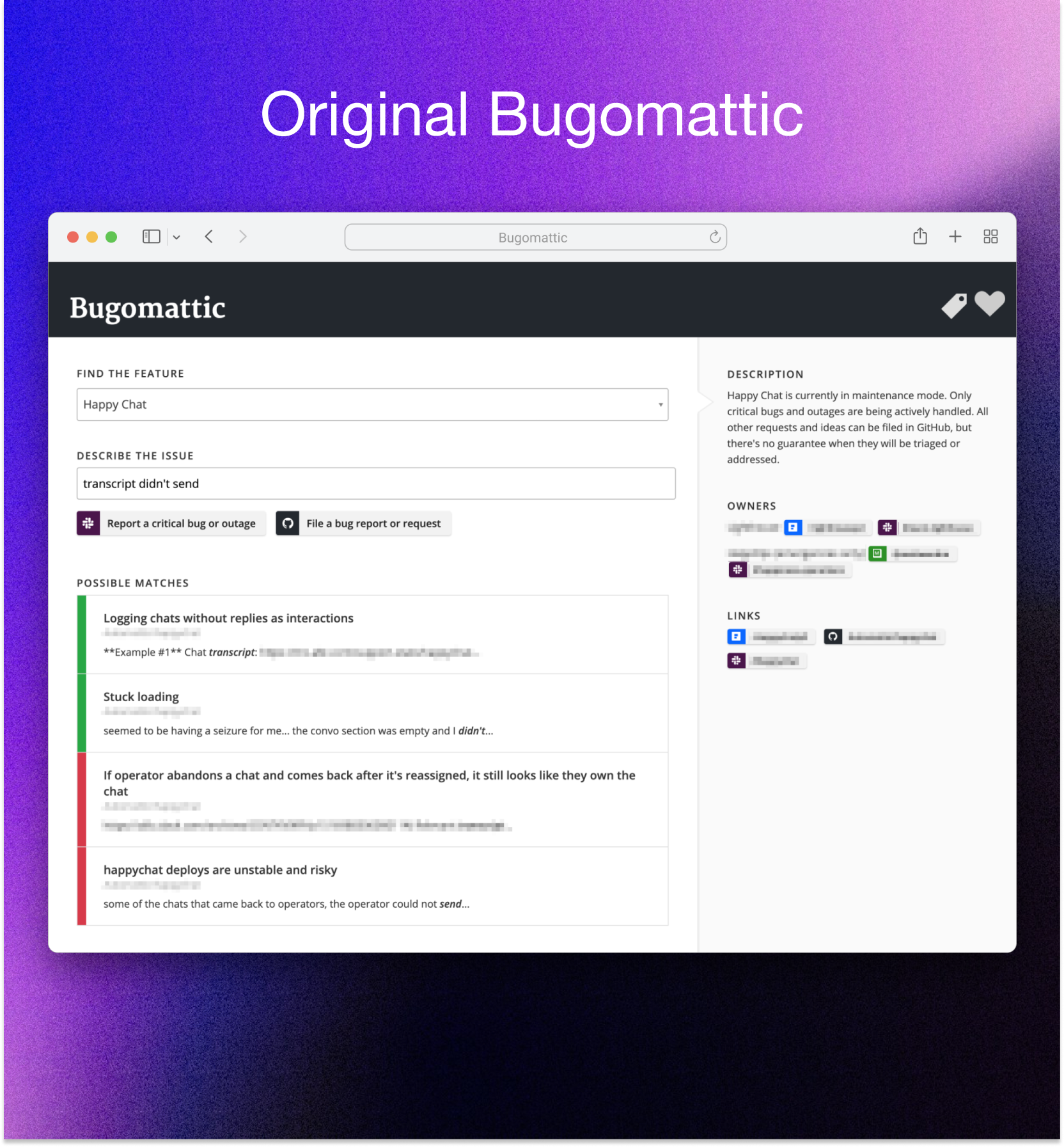
Reviewed internal discussion threads revealing that employees bypassed the original tool entirely, filing directly to GitHub due to lack of trust.
"I don't use Bugomattic; I try to report directly to the correct repo with all the info I can."
Issues consistently landed in wrong repositories, requiring manual triage and relabeling.
User Survey:
Surveyed customer support engineers about their issue-filing process, uncovering that many had built personal workarounds (Alfred queries, custom bookmarks) because the existing search wasn't powerful enough.
"I rarely find what I need, often end up submitting a new bug report, that someone else then manages to find the duplicate for."
Key needs: repository filtering, status filters, and relevance-based sorting.
Accessibility Requirements:
Early stakeholder feedback highlighted need for full screen reader compatibility.
"We need to make sure the flow works well for screen readers as well. We have teammates who use a screen reader full-time."
Key Insight:
As the company grew in size and complexity, maintaining accurate issue routing became increasingly critical. Stakeholder feedback emphasized that getting the right issues to the right teams in the right format was essential for efficient triage and resolution.
Duplicate Search Foundation:
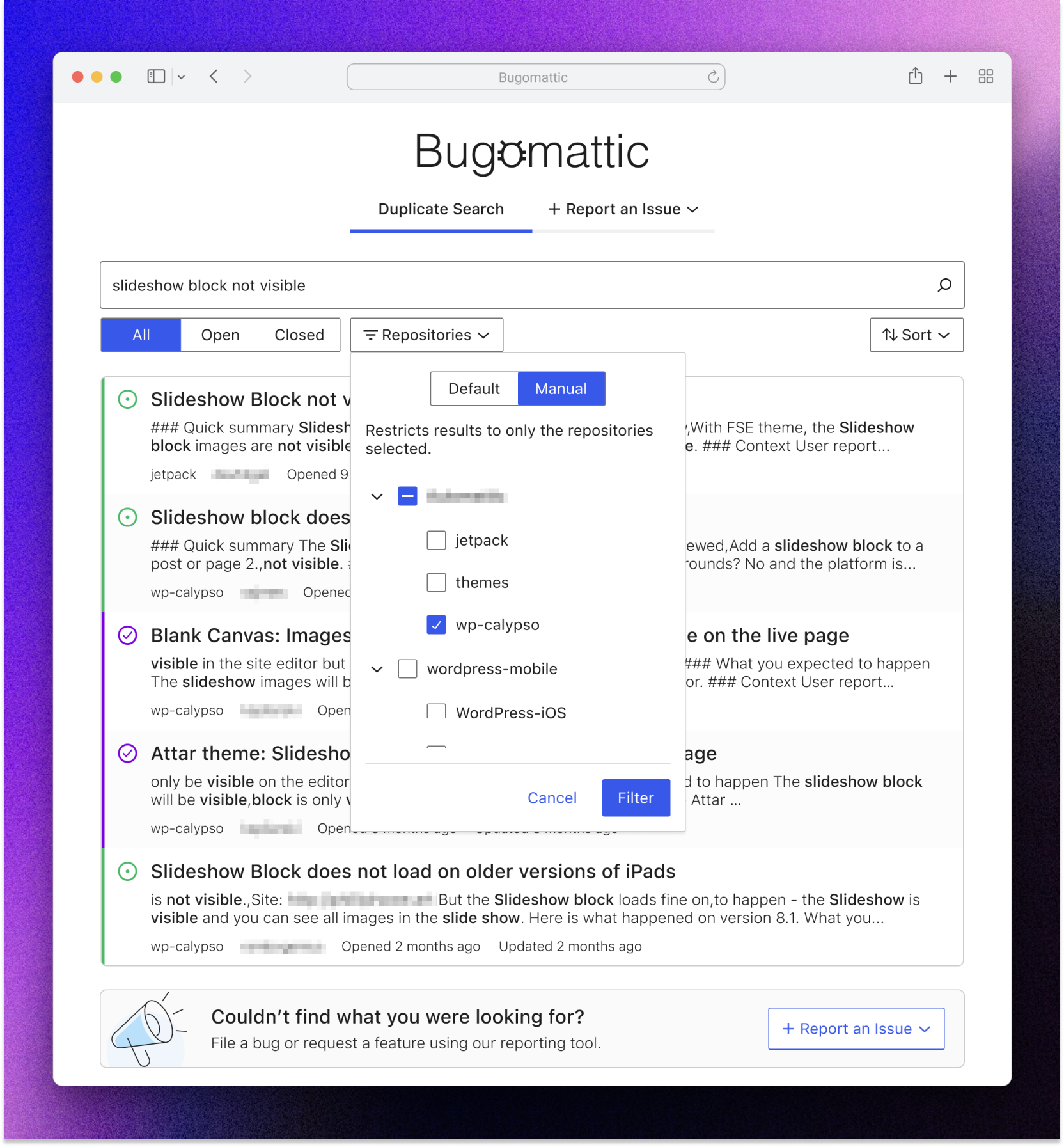
Integrated duplicate search as a core feature to prevent redundant bug reports. Checking for existing issues before filing saves engineering time, helps reporters find existing solutions or workarounds, and keeps issue trackers clean and manageable.
Hybrid Approach:
Resolved the step-wise wizard vs. search-first debate by designing a search-powered, step-wise flow. This balanced two competing needs: guiding users to report issues in the correct place (especially important for new employees or unfamiliar features) while not creating friction for power users who already knew exactly where to file.
"The tool is most useful when more people use it, so keeping the entry point as simple as possible is really important."
Users could quickly search for features while still being guided through clear decision sequences.
Three-Tier Hierarchy:
Defined Products > Feature Groups > Features structure, enabling precise routing to correct repositories and teams.
Issue Type Framework:
Created three distinct pathways (Bug, Feature Request, Urgent Escalation), each with tailored next steps and team-specific guidance.
Reporting Flow:
Dual-Surface Interface:
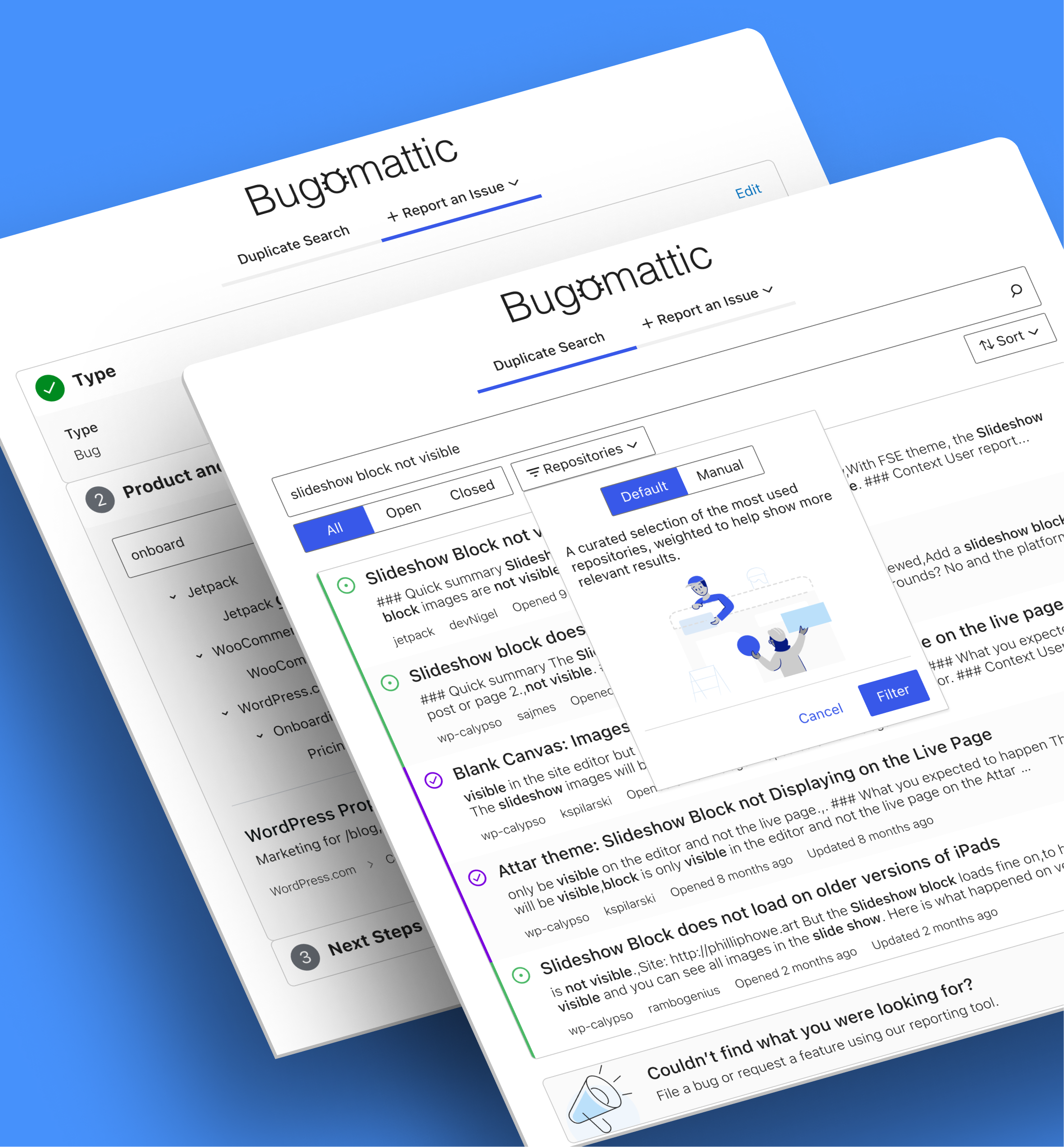
Designed two primary tabs: Duplicate Search and Report an Issue, allowing users to check for existing issues before filing new ones.
Feature Selection Control:
Created searchable tree component with three exploration modes:
Search Experience:
Designed ElasticSearch-powered duplicate search with repository filtering, status filtering, and relevance-based sorting emphasizing recent issues.
Next Steps Panel:
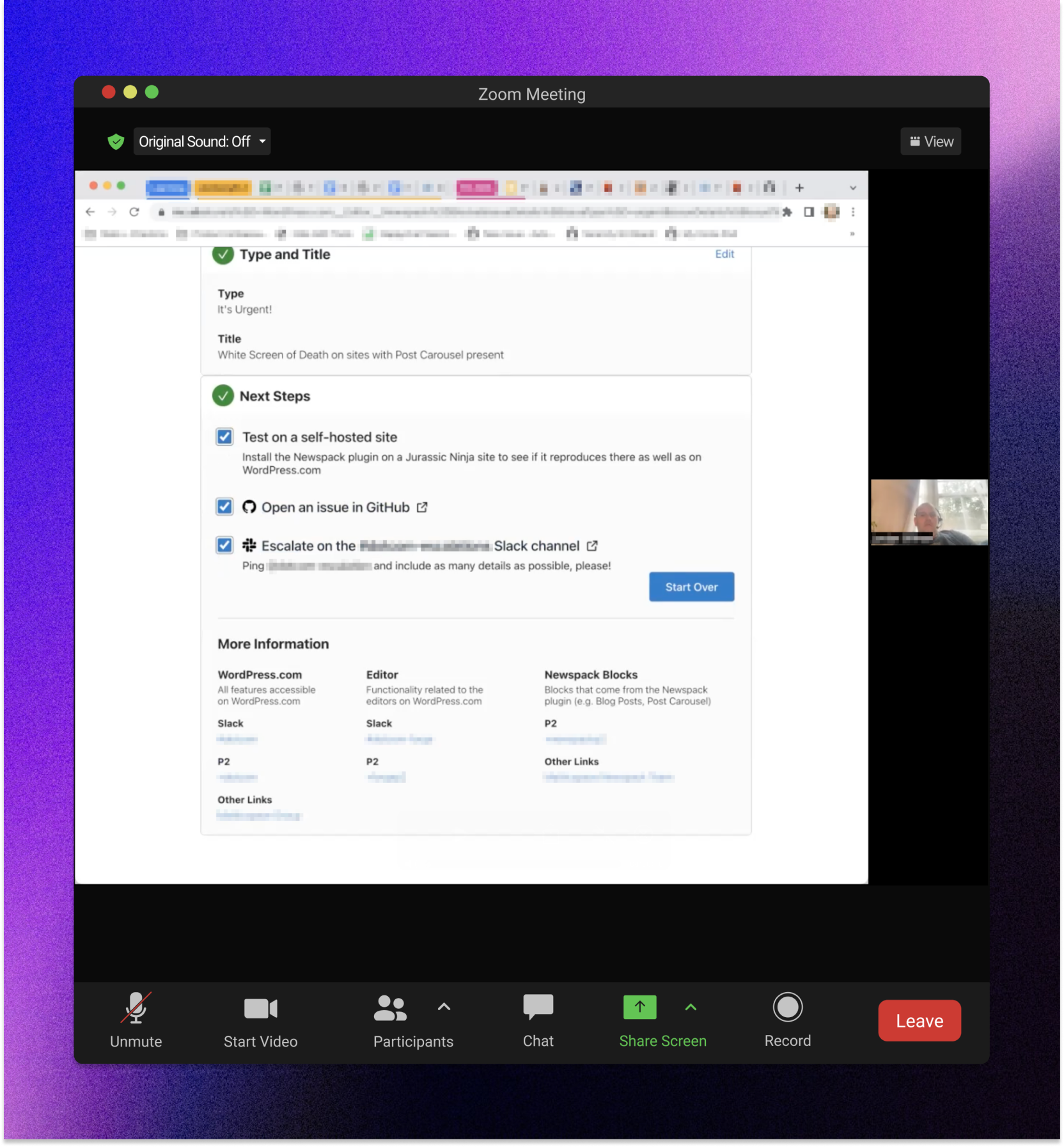
Transformed team actions into interactive checklist with:
Component Library:
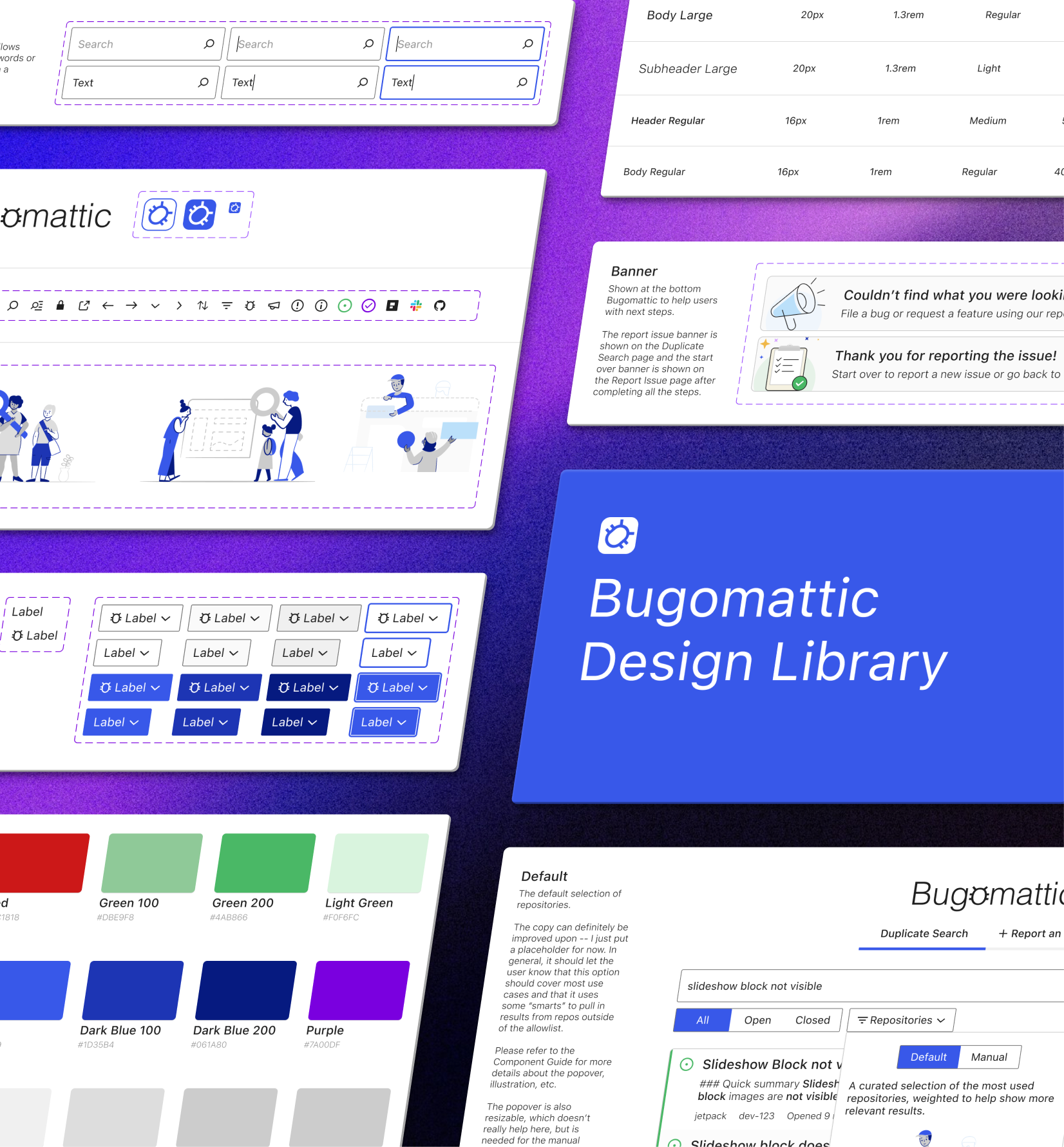
Built comprehensive Figma component system and detailed developer-facing design guides to bridge design-to-code handoff.
Test Methodology:
Conducted task-based testing with three internal participants (customer support engineers and developers) using realistic scenarios including critical bug reporting and multi-step feature requests.
What Worked:
Issues Identified:
Design Improvements:
Screen Reader Optimization:
Designed components with semantic HTML and proper ARIA labels from day one, ensuring equivalent experience for screen reader users.
Keyboard Navigation:
Implemented full keyboard controls for all interactions, including tree expansion, search, and checkbox management.
Accessible-First Approach:
Treated accessibility as core requirement rather than afterthought, shaping component design decisions throughout the project.
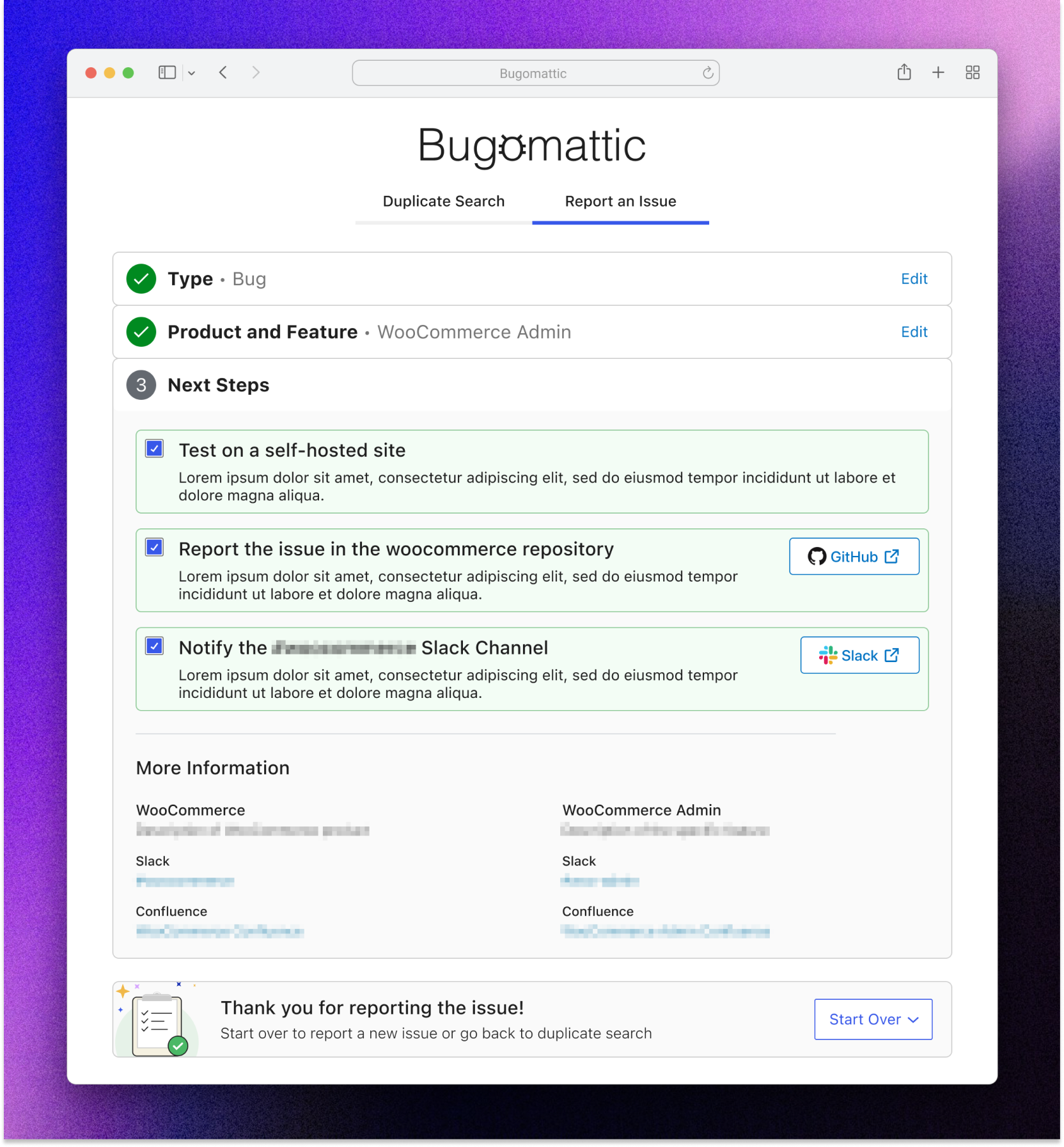
Successfully shipped Bugomattic as the company's centralized issue reporting hub, adopted organization-wide as the recommended filing method across all teams.
Results:
Design Impact:The hybrid search-powered wizard eliminated the trust deficit that caused employees to bypass the original tool. Team-configured next steps ensured issues landed in correct repositories with proper context, while accessible design provided equal experience for all employees.

A Brooklyn-based design studio helping brands tell their story, one design at a time.