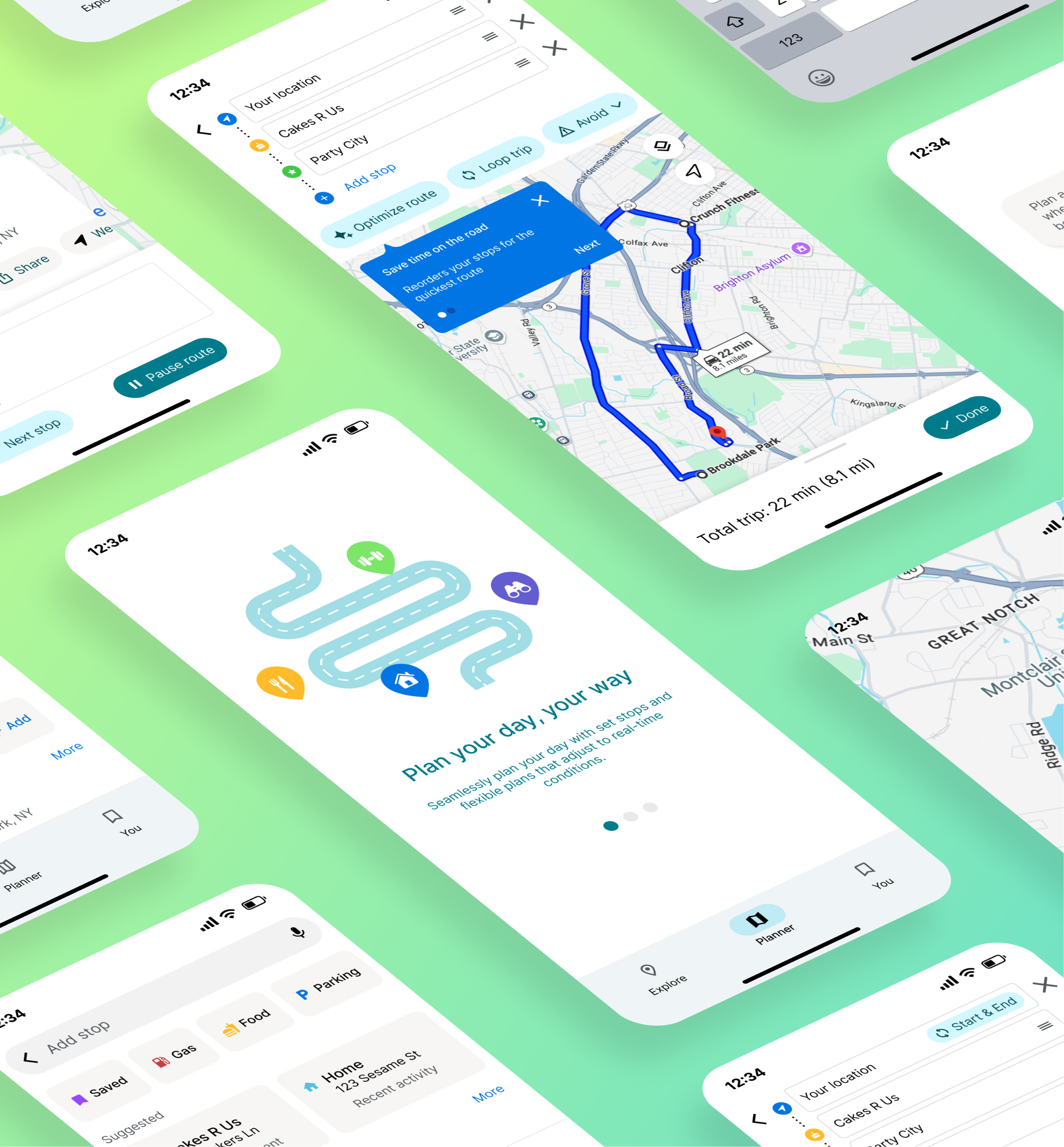
UX redesign improving multi-stop trip planning in Google Maps through better feature discoverability, one-tap route optimization, and flexible navigation.
Google Maps' multi-stop features are underused due to poor discoverability and rigid trip management. Users struggle to efficiently organize routes, make changes during navigation, and optimize their trips, leading to manual workarounds and wasted time.
User Interviews:
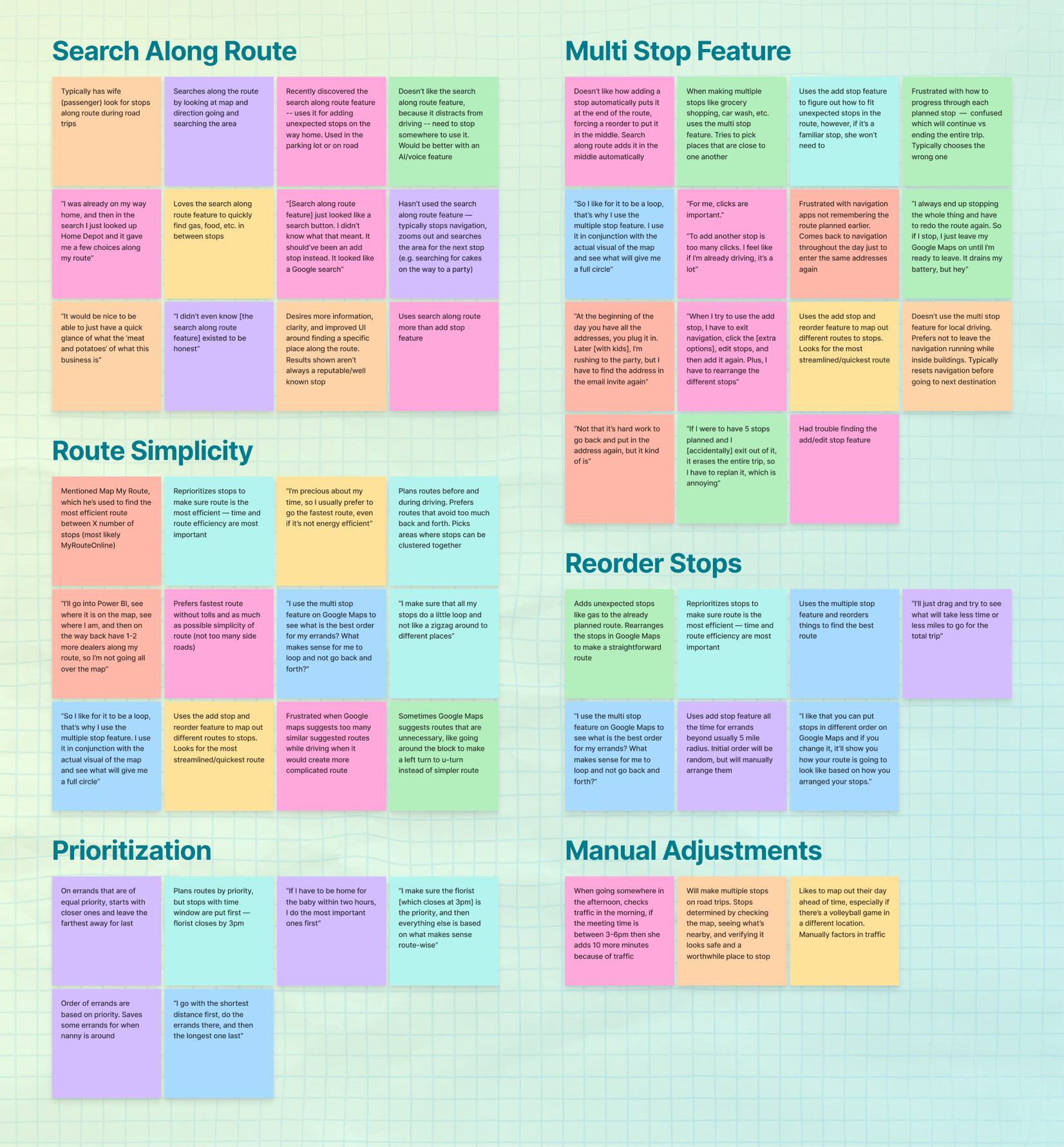
Conducted 8 interviews (5.5 hours total) with users who regularly plan multi-stop trips for errands, day trips, and travel. Interviews focused on current planning behaviors, pain points, and workarounds.
Affinity Mapping:
Organized research findings into themes including efficiency, flexibility, mental load, confidence during navigation, and route editing friction.
Key Behaviors Identified:
Primary Pain Points:
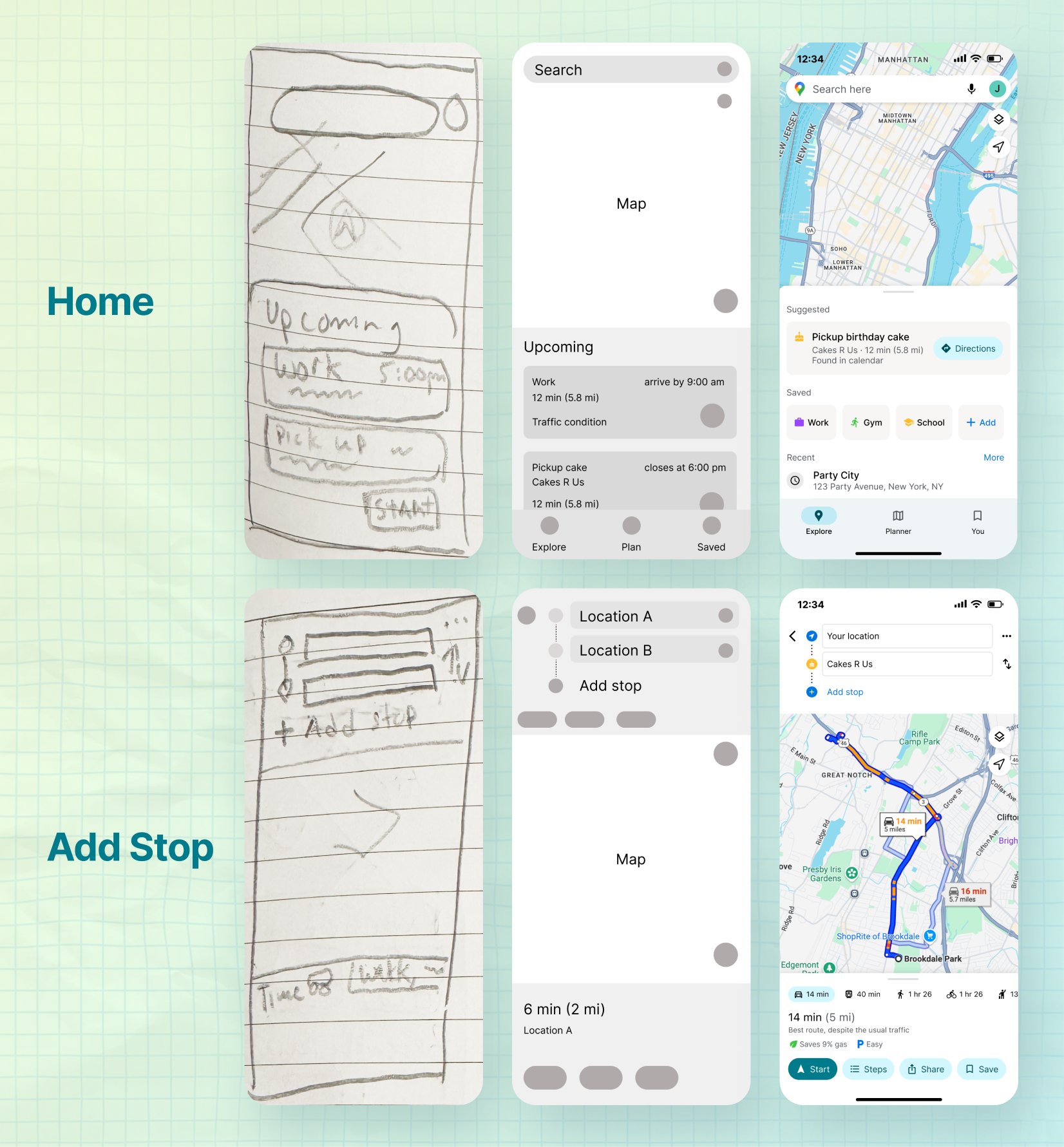
Planning vs Navigation Disconnect:
Users plan trips in two distinct phases, but the current product treats planning and navigating as separate experiences. Real-world behavior requires fluid movement between these states.
"I usually just pick the order myself because I don't know if Maps will do it right."
Discoverability Crisis:
Critical features like route optimization and search along route are hidden behind overflow menus or navigation states. Many users don't know these features exist.
Minimizing Backtracking:
Users hate wasted driving and repeated roads. They manually optimize routes to avoid inefficiency, creating unnecessary mental load.
Round Trip Behavior:
Users frequently need to return to their starting point for errands and day trips, but must manually re-add home as the final destination.
User Persona:
Alex Busyman - Age 35, married, 1 kid, Project Manager, Chicago
"I just want to get everything done without feeling like I'm constantly on the road."
Pain Points:
Goals:
Design Prioritization:
Created a prioritization matrix based on effort vs. impact. Quick wins focused on surfacing existing features more clearly and improving discoverability through better UI placement. Smarter solutions leveraged Google's data to anticipate needs and build proactive planning features.
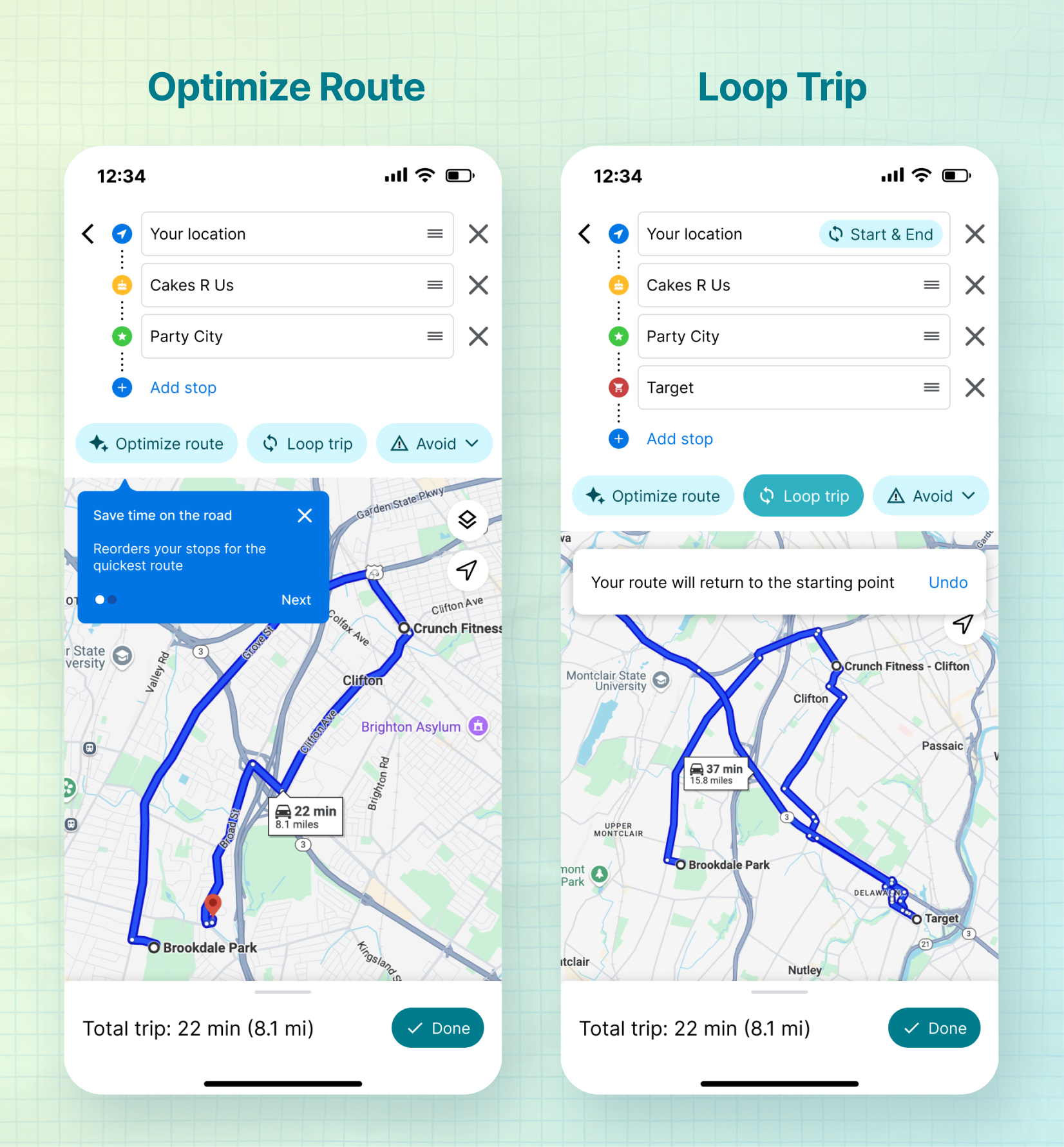
Optimize Route:
One-tap automatic route reordering that reduces driving time and eliminates backtracking. Smart reordering is based on efficient routing while giving users control over critical stops.
Key Features:
This addresses the trust gap users felt with automated optimization while maintaining control over important constraints.
Loop Trip:
Dedicated "Return to Start" toggle that automatically adds the starting point as the final destination.
Use Cases:
This eliminates the manual step of re-adding home and makes round-trip planning feel intentional rather than makeshift.
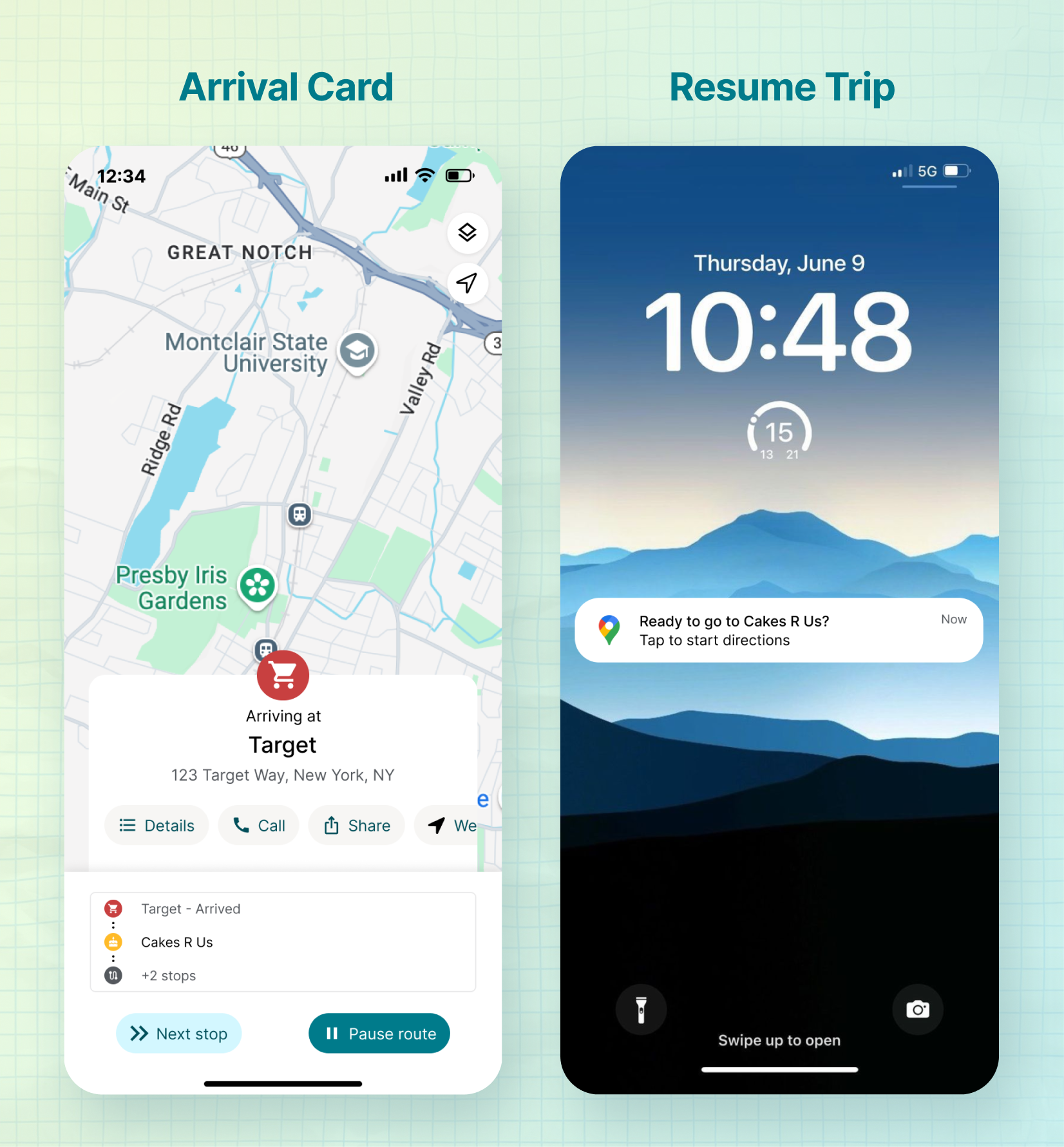
Enhanced Next Stop Card:
Redesigned navigation interface showing current trip progress, upcoming stop details, and quick access to route editing without requiring users to exit navigation mode.
Better Access to Key Actions:
Redesigned information architecture to make critical actions accessible throughout the trip lifecycle:
Search Along Route Improvements:
Surface Search Along Route earlier in the trip planning flow, allowing users to preview stops (gas stations, restaurants, rest areas) before committing to navigation. Previously only available during active navigation, creating a disconnect between planning and real-world needs.
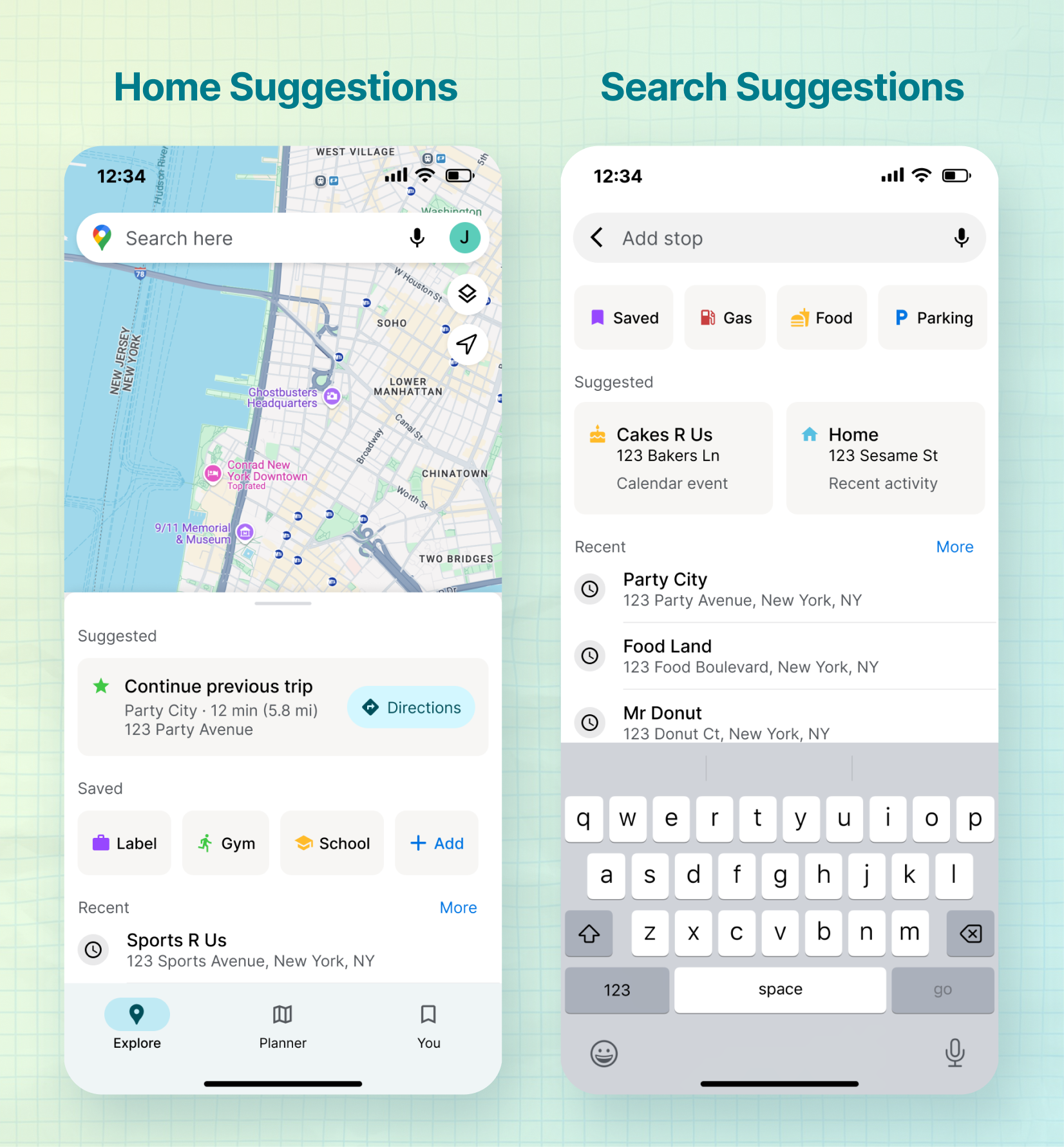
Successfully designed a more intuitive multi-stop planning experience that made hidden features discoverable, reduced manual optimization work, and supported flexible trip management across planning and navigation states.
This project reinforced the importance of designing for actual user behavior rather than ideal flows. The strongest insights came from understanding the disconnect between planning and navigating, not just improving individual UI elements. Designing for context-sensitive interfaces in a navigation product required balancing simplicity with powerful tools while keeping driver safety top of mind.
Success Metrics Framework:
Defined three measurement categories to track feature adoption and impact:
1. Adoption
2. Progression
3. Engagement

A Brooklyn-based design studio helping brands tell their story, one design at a time.